Screen any LinkedIn profile in one click
Open a profile. Pick a job. Get a verdict. The TenPerZent extension scores any LinkedIn profile against your open roles in seconds, then saves the result to your pipeline. No tabs, no copy-paste, no switching tools.
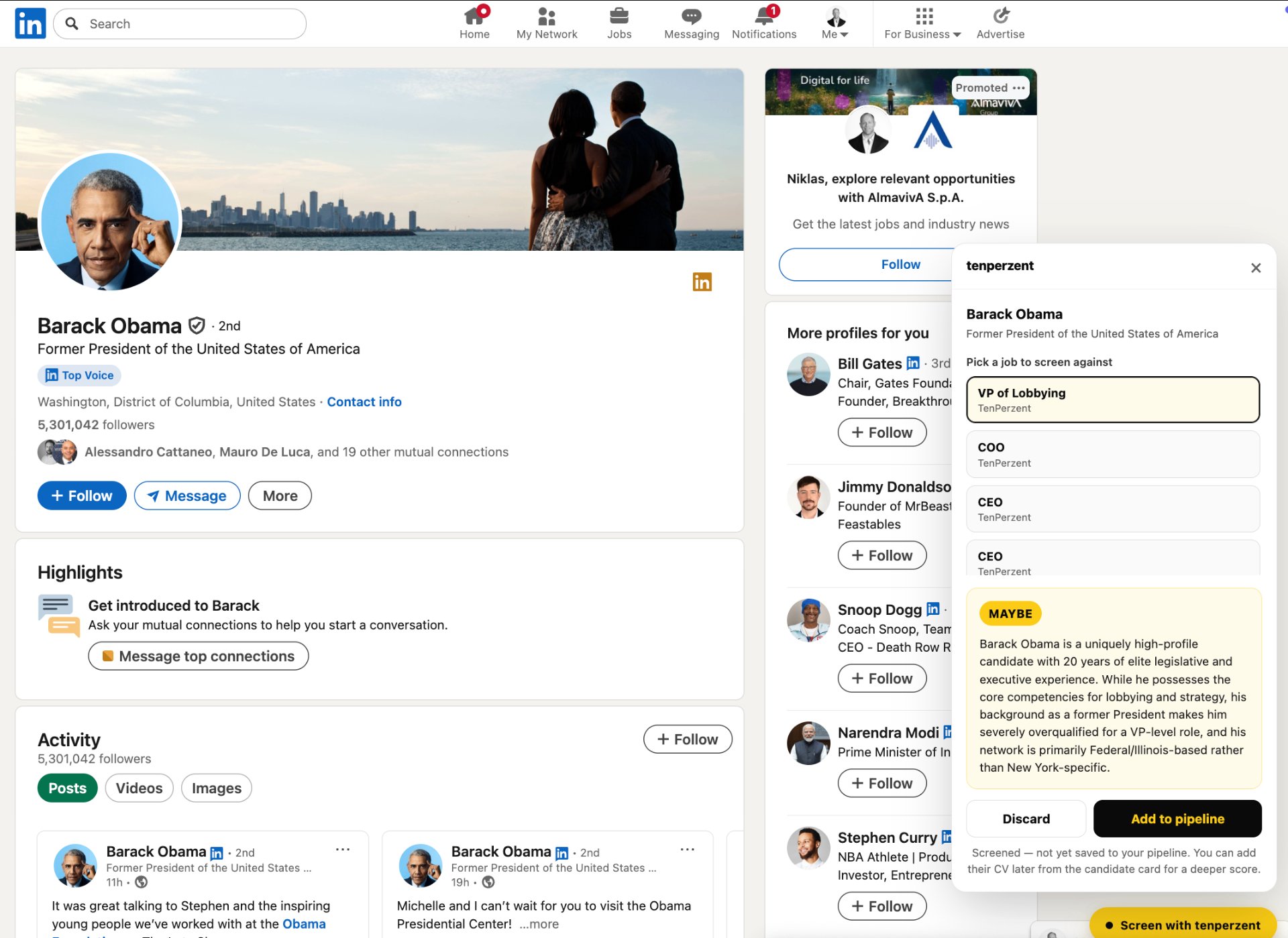
Live on linkedin.com — no copy-paste
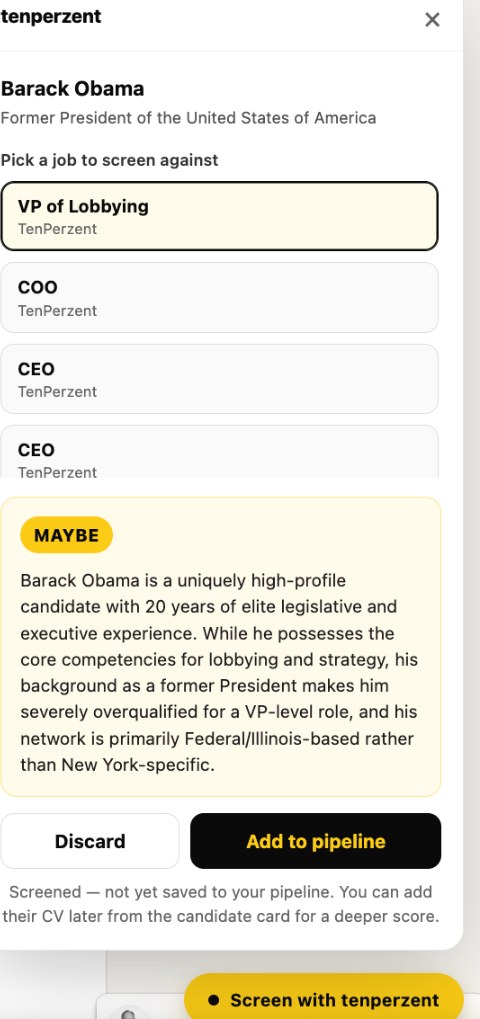
Pick from your live jobs
Every active role across your workspaces is one tap away.
AI verdict in seconds
Shortlist, Maybe, or Reject — with the reasoning a recruiter can defend.
Saved to your pipeline
Add the candidate with one click. CV can be attached later.
How to install
Two minutes. No IT ticket. Works in every Chromium browser.
- 1
Download the extension and unzip it
Grab the .zip from your account (Settings → Integrations) or the button below, then unzip it on your machine.
- 2
Load it in chrome://extensions
Open chrome://extensions, toggle Developer mode (top right), click Load unpacked and pick the unzipped folder. Pin it from the puzzle icon.
- 3
Paste your TenPerZent token
In Settings → Integrations click Get my token, copy it, then paste it into the extension popup. This links the extension to your workspace.
- 4
Open any LinkedIn profile and score
A yellow Screen with TenPerZent button appears. Pick the job, get a verdict (Shortlist / Maybe / Reject) and it lands in your pipeline with the AI reasoning.
Frequently asked
- Which browsers does the extension work in?
- The TenPerZent extension runs in any Chromium-based browser: Chrome, Edge, Brave, Arc and Opera. A Firefox build is on the roadmap.
- Do I need a paid plan to use it?
- No. Any TenPerZent account, including Free, can install the extension. Each profile you score uses one screening credit from your monthly allowance.
- Does it work on private LinkedIn profiles?
- It works on any profile your LinkedIn account can already see. The extension does not bypass LinkedIn privacy settings.
- Is the candidate's data sent to LinkedIn or any third party?
- No. The extension reads the public profile content from the page you're viewing and sends it only to TenPerZent for screening, governed by our DPA and GDPR commitments.
- Can my whole team use the same extension?
- Yes. Each teammate installs the extension and signs in once. Profiles they save land in the shared workspace pipeline.